Right-click an item (or press and hold on a touchscreen) to get a menu of the actions that apply to it. Right-clicking empty space, or a multiple selection, gives the relevant menu for that too.
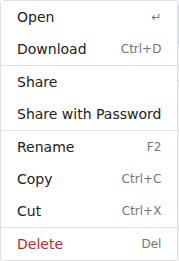
The same actions, applied to all of them.
The share-management actions: Copy Link, Change Expiry, the password actions, Stop Sharing / Restart Sharing, and Delete. See Managing shares.
Items appear greyed out when they're not available to you. Every right-click action is also available on the toolbar.