You can delete files and folders you no longer need. This action is available on the toolbar, in the right-click menu, and (on narrow screens) in the Actions menu (☰) — see Right-click menus for more.
Deleting items
Select one or more items. See Selecting files for how to select multiple items.
Click Delete on the toolbar. Alternatively, right-click and choose Delete, or press the Delete key.
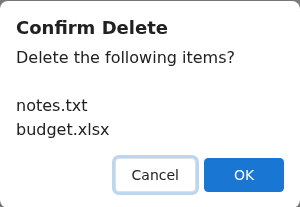
A confirmation dialog lists the items to be deleted. Confirm to delete them.
Deleting a folder also deletes everything inside it, so check the contents before you confirm.
Permissions and restrictions
You need delete permission. Without it, the Delete action is greyed out.
The Shares folder itself can't be deleted. Manage shares from the Shares view instead — see Managing shares.