File Manager: Managing shares
Once you've shared something (see Sharing files and folders), you can review and manage all your shares in one place.
The Shares folder
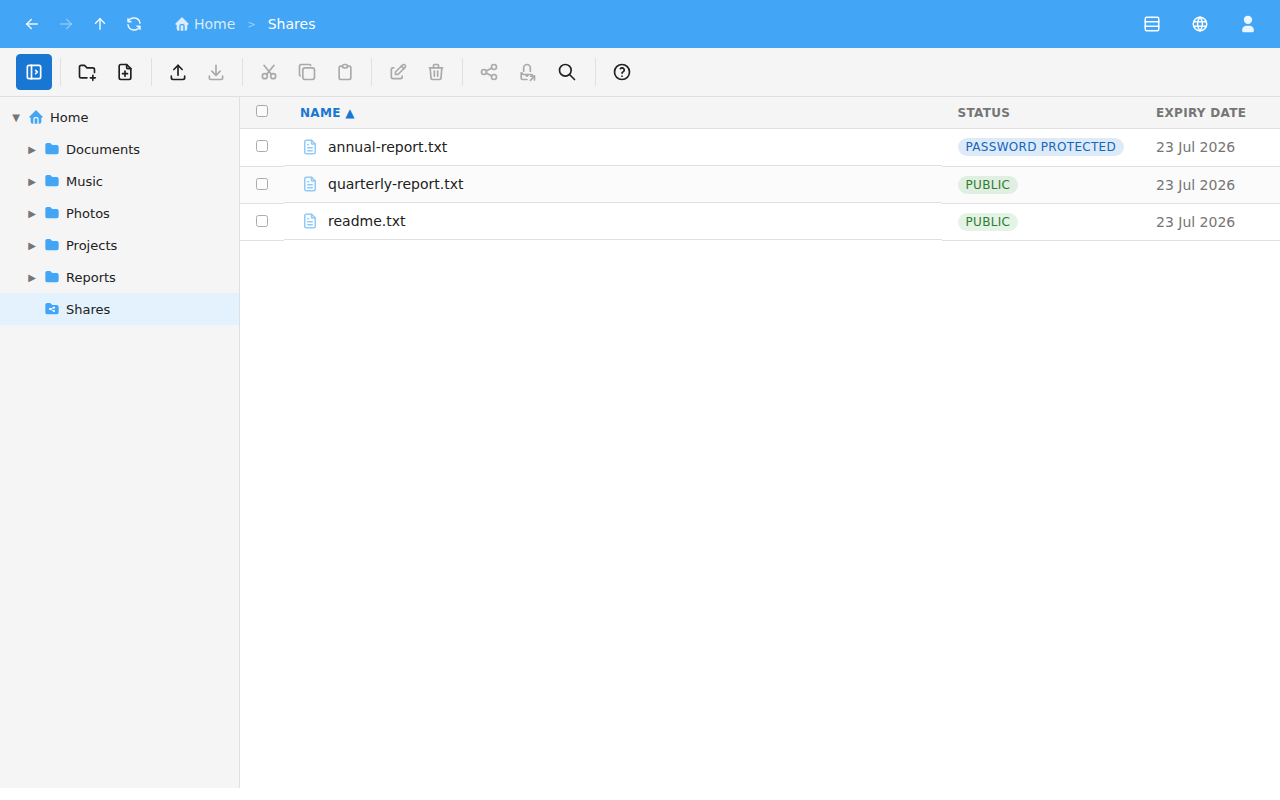
Open the Shares folder to see everything you've shared. It lists each share with a Status and an Expiry Date. Status is one of:
- Public — anyone with the link can use it.
- Password Protected — the recipient must enter a password.
- Stopped — the link is currently disabled.
- Expired — the link is past its expiry date.
Managing a share
Right-click a share to manage it (see Right-click menus). The available actions are:
- Copy Link — copy the share link so you can send it.
- Change Expiry — set or change when the link expires.
- Set Password / Change Password / Remove Password — add, replace or clear the password.
- Stop Sharing / Restart Sharing — disable or re-enable the link.
- Delete — remove the share entirely.
Stopping versus deleting
- Stop Sharing keeps the file but disables its link. Restart Sharing re-enables it.
- Delete removes the shared file and makes the link stop working.