You can save files from the current folder to your computer by downloading them.
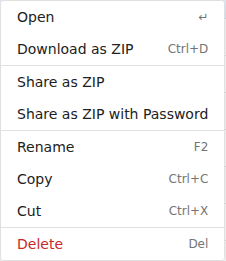
The Download command is also available on the right-click menu and on the Actions menu (☰).
Double-clicking a file opens a preview instead of downloading it — see Previewing and editing.

Select several files, or a folder, and Download gives you a single ZIP archive. You can also right-click a folder and choose Download as ZIP.
You need read permission for a file to download it.
See also Uploading files and Previewing and editing.